Creative Challenges: One Photo, Five Different Edits
Creative Challenges: One Photo, Five Different Edits
Try a creative photo editing challenge: edit one photo five different ways using FaceApp presets and explore new styles and moods.
Table of Contents
Why repetition limits creative growth
It’s easy to fall into familiar habits when editing photos. You find a look that works — and before you notice, every image starts following the same pattern. While consistency has its place, repetition can quietly limit creative growth and make content feel predictable.
The one-photo, five-edits challenge
One simple way to break that cycle is a creative photo editing challenge: take one photo and edit it five different ways.
This approach encourages curiosity over perfection. Instead of searching for a single “best” result, you explore a range of editing styles and see how different moods can emerge from the same image.
Create a soft, minimal version with gentle tones and reduced contrast:
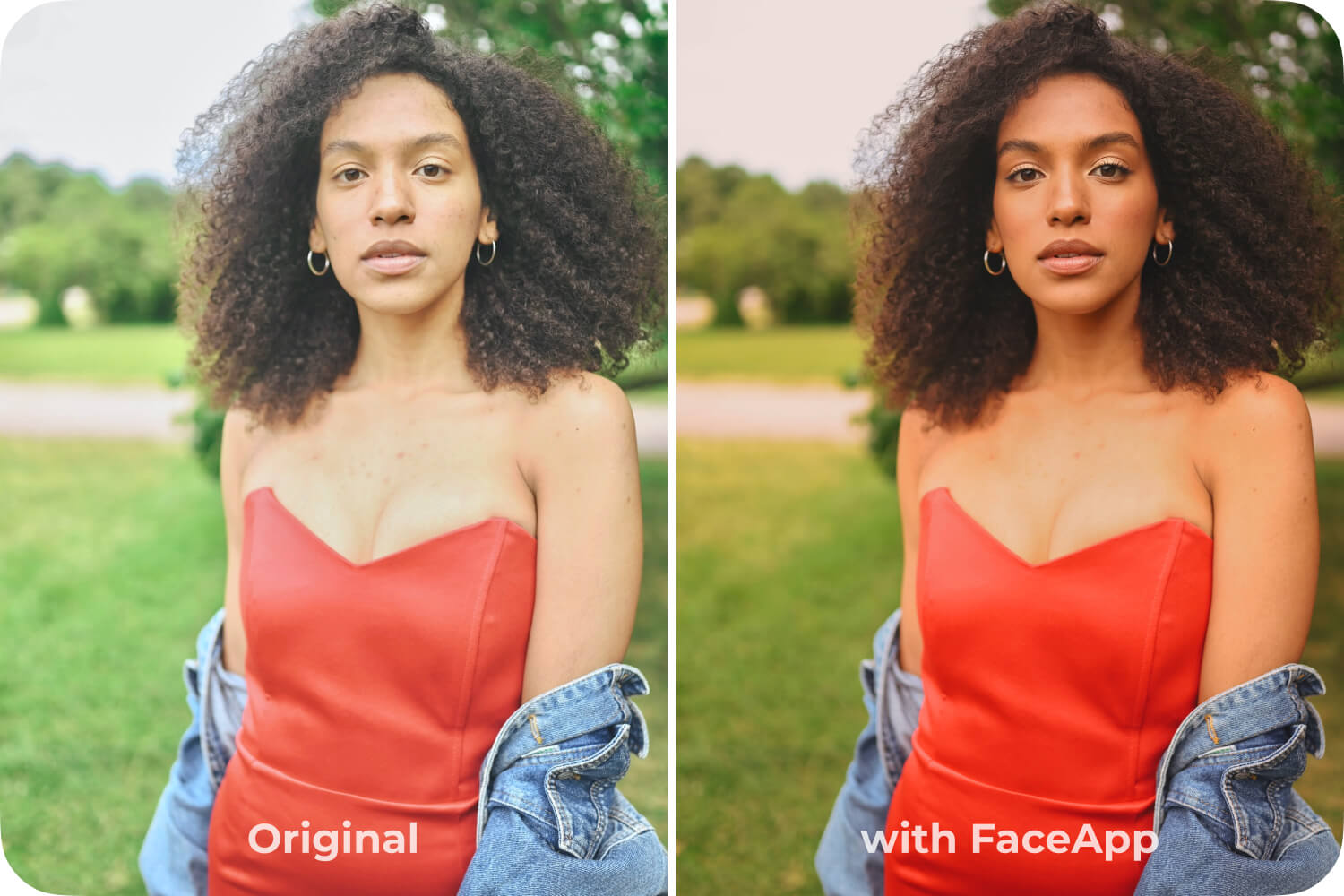
- Kiss filter (strength 2)
- Tan filter (strength 2)
- Adjustments: Contrast +10, Temperature +15, Saturation +5, Highlights -10, Brightness -5
Move on to a bold color edit that emphasizes emotion and energy:
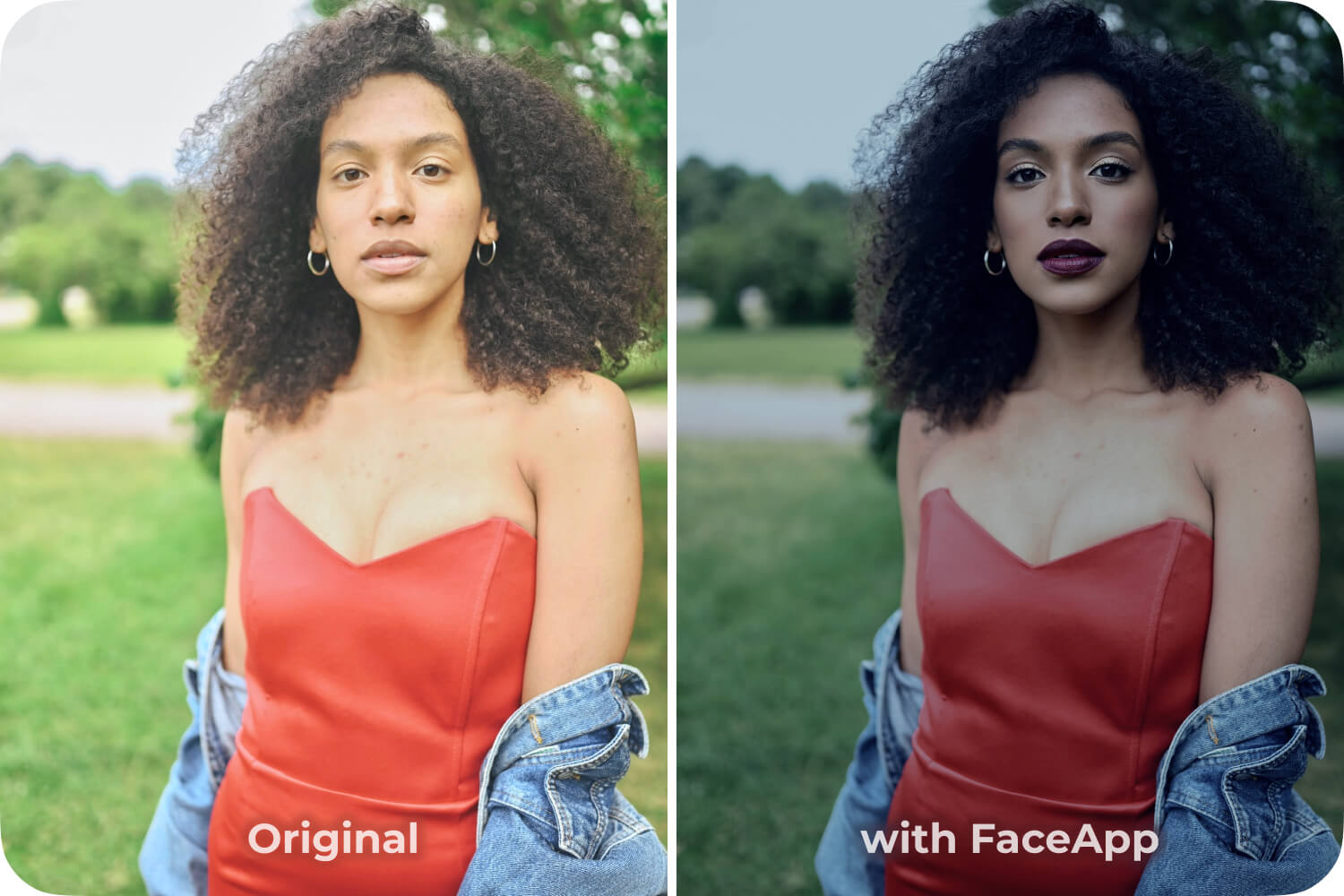
- Hollywood (strength 4)
- Lips (strength 5)
- Mystic effect
Then try a cinematic look by adjusting contrast and shadows:
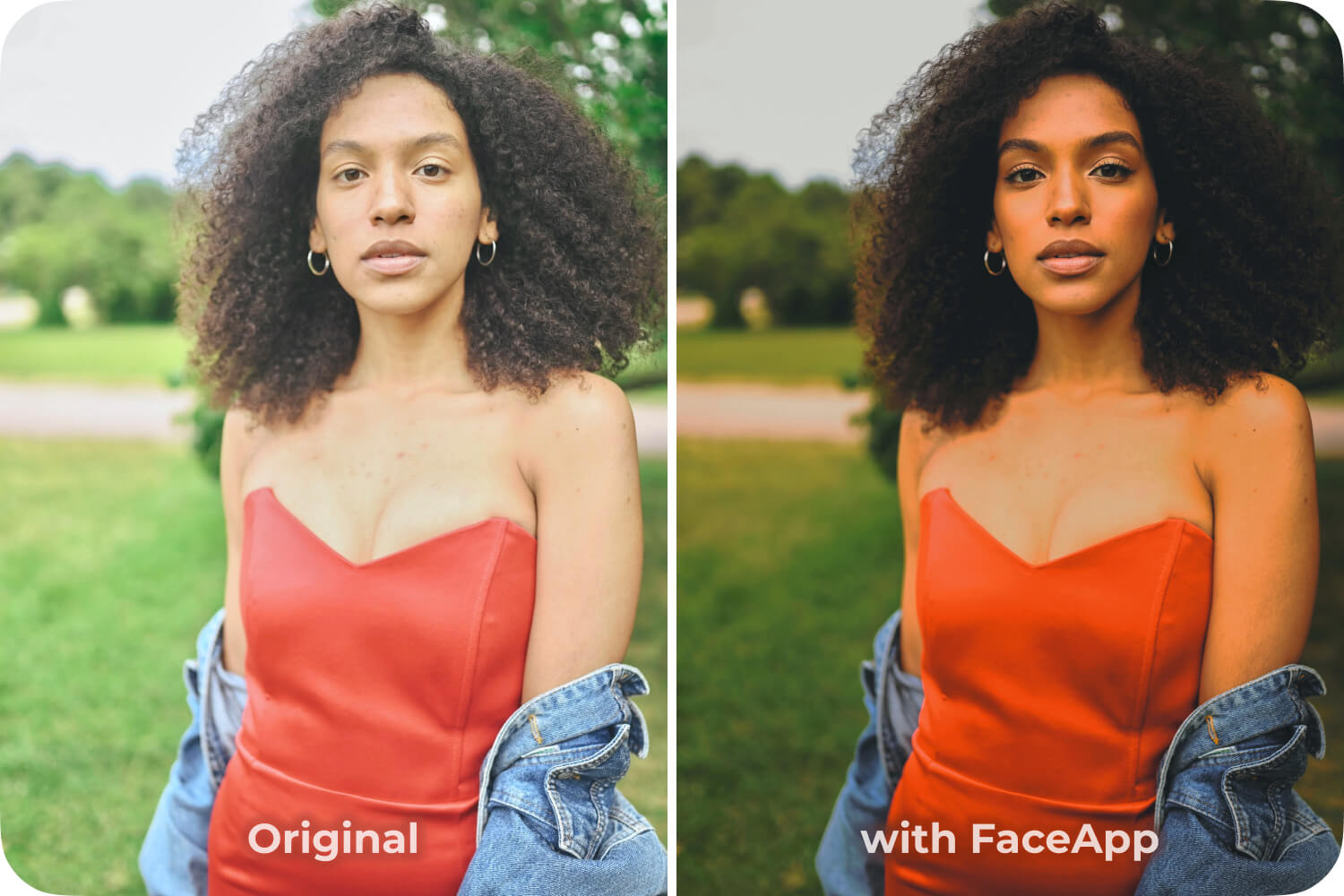
- Cute (strength 4)
- Yorkshire effect
Experiment with an edit that transforms the photo’s atmosphere entirely:
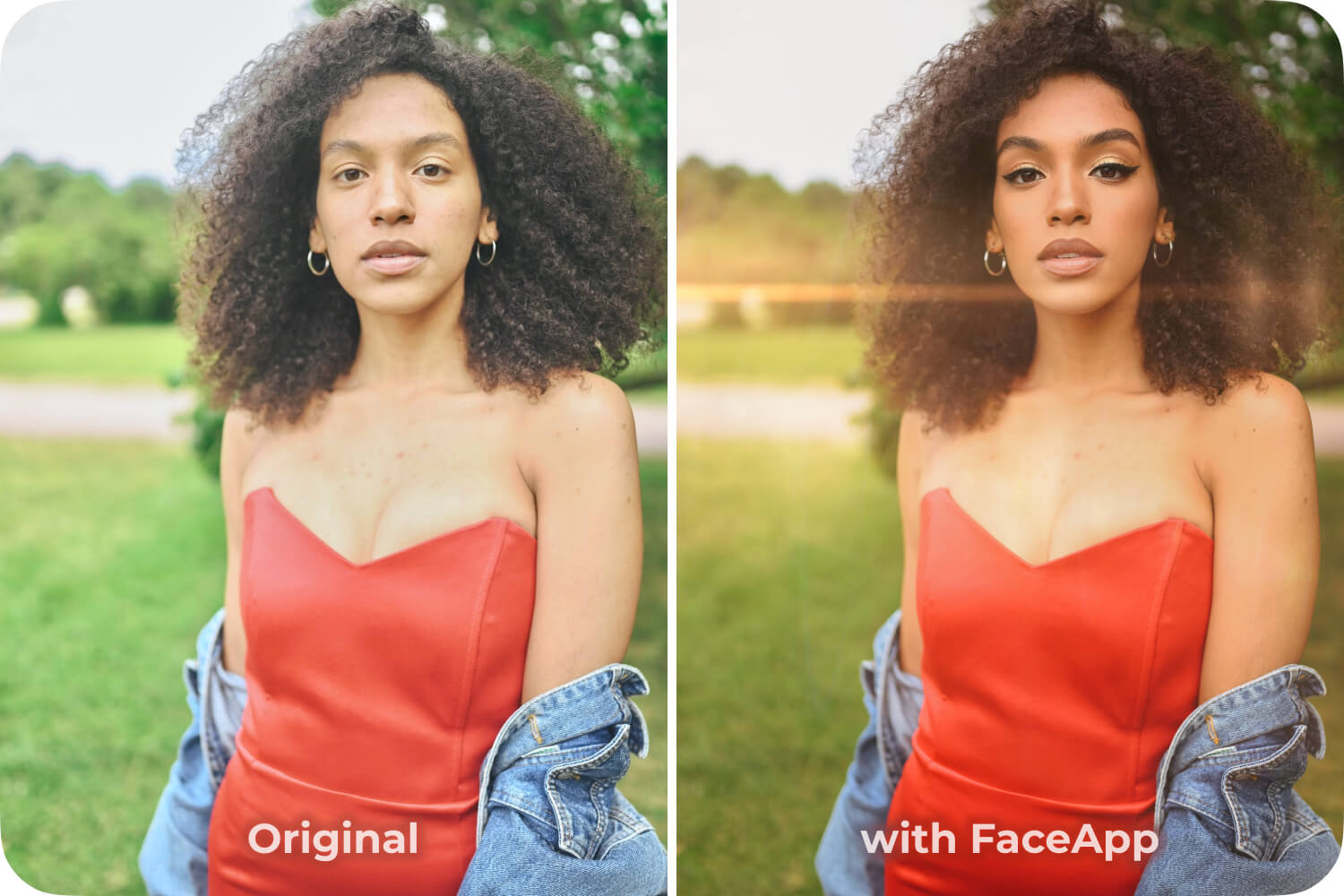
- Revamp
- Winged Eyeliner Makeup filter (strength 5)
- Golden Dawn overlay
And try a natural version, focusing on balanced light and realistic tones:
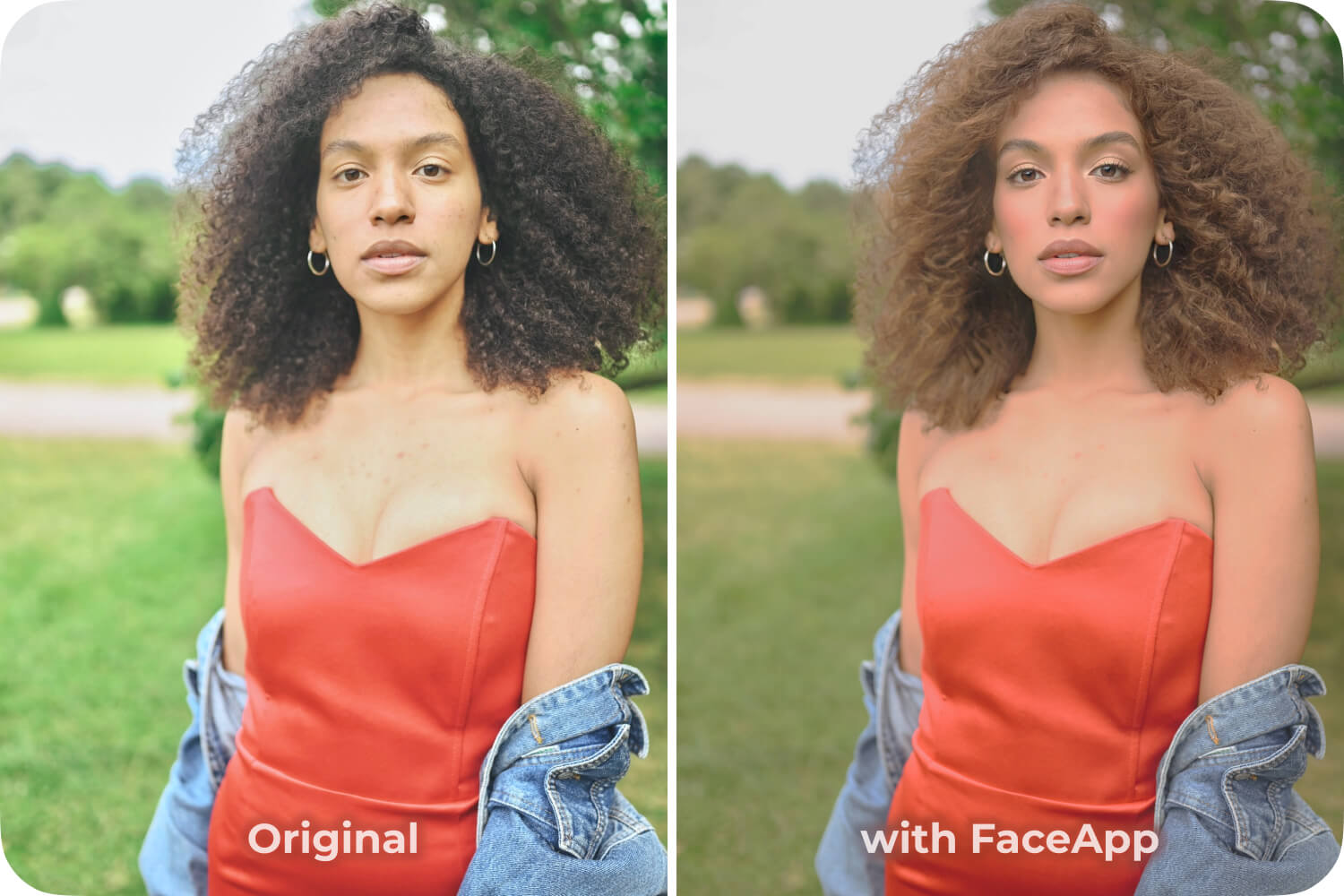
- Brown hair color
- Silk filter (strength 4)
- Blush (strength 5)
- Curves faded setting
Working through these variations helps you experiment with photo editing in a low-pressure way. You begin to notice how small changes influence mood, focus, and storytelling — without needing new photos or advanced tools.
Using FaceApp presets makes this process fast and intuitive. Presets provide a strong starting point for each look, while adjustable tools allow for quick refinements. In minutes, one image can turn into multiple photo edits, each with a distinct personality.
Challenges like this are also a powerful source of creative photo ideas. They keep editing playful, prevent burnout, and help you grow visually by comparing results side by side.
One photo. Five edits. Five new ways to see what your creativity can do.
FAQs
Q: Why should I edit one photo five different ways?
A: This approach helps break creative habits, expand your style range, and discover new editing possibilities.
Q: Can I do this without advanced editing skills?
A: Yes. FaceApp presets, face filters, and simple adjustment tools make it easy to create multiple looks quickly.
Q: How do presets help in creative experimentation?
A: Presets provide a starting point for different styles, allowing you to refine each version while keeping the process fast and intuitive.