Editing for Social Media
Editing for Social Media: Make Your Photos Work in the Feed
Learn how to edit photos for social media. Optimize brightness, contrast, and cropping with FaceApp for a consistent, eye-catching feed.
Table of Contents
- Why photos look different on social media
- The basics of social media photo editing
- Build a consistent visual style with FaceApp
- FAQs
Why Photos Look Different on Social Media
A photo that looks great in your camera roll doesn’t always perform the same way on social media. Once uploaded, images are viewed on small screens, in fast-moving feeds, and often next to highly polished content. Without the right adjustments, photos can appear flat, dull, or inconsistent — even if they looked fine at first glance.
That’s why editing for social media follows slightly different rules than general photo editing.
The Basics of Social Media Photo Editing
When photos are prepared specifically for feed viewing, they become more eye-catching and easier to read at a glance. This doesn’t require heavy retouching or professional tools — just a focus on how images are actually seen online.
One key principle of social media photo editing is optimizing brightness and contrast for mobile screens. Subtle increases help details stand out without making the image look harsh. Natural skin tones matter even more in this context, as overly strong edits are quickly noticeable when scrolling.
Cropping is another essential step. Choosing the right aspect ratio helps photos take up more space in the feed and feel intentional rather than accidental. Combined with a consistent visual approach, this creates a stronger overall impression — especially across multiple posts.
Build a Consistent Visual Style with FaceApp
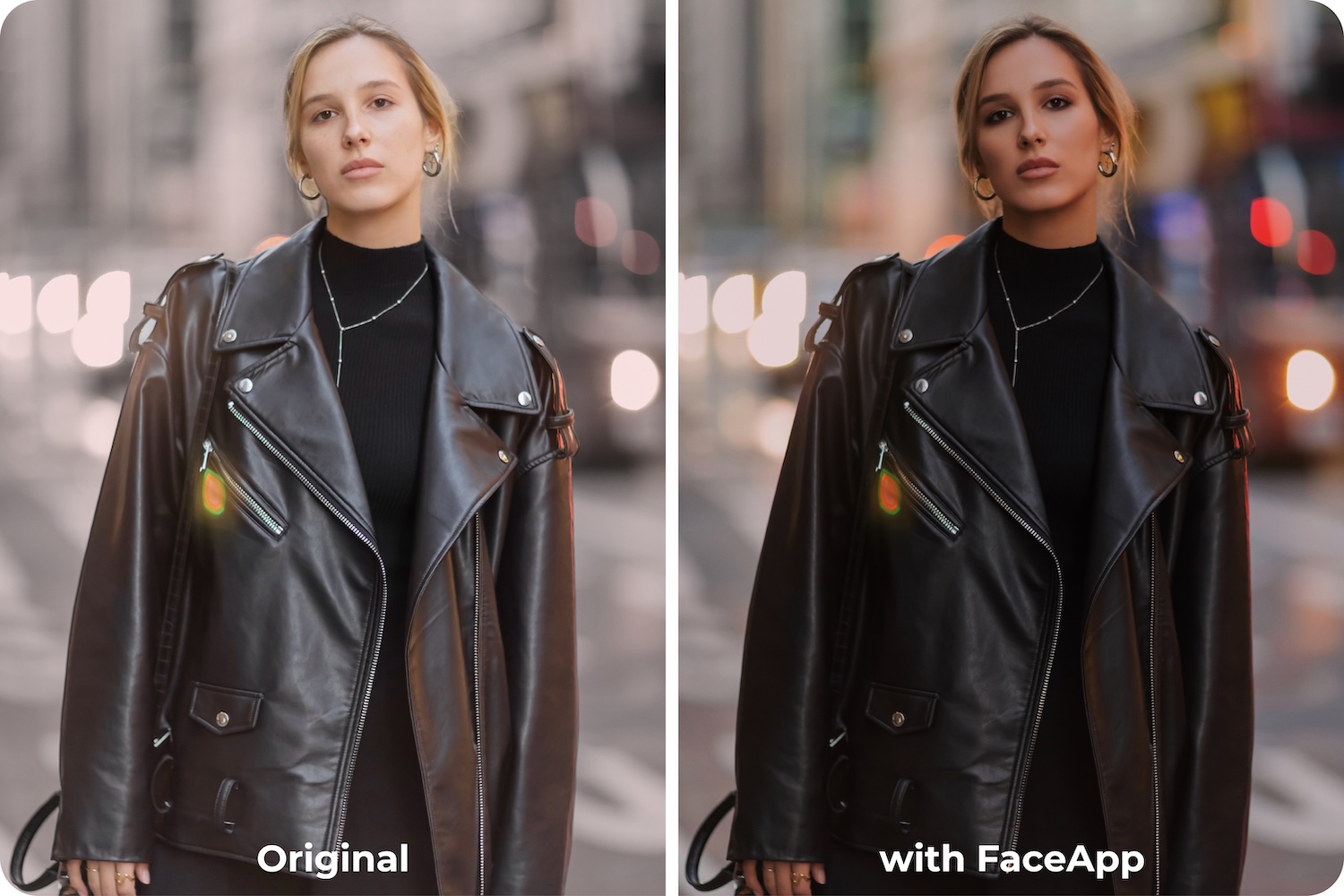
With FaceApp social media edits, these adjustments are quick and intuitive. Face-aware enhancements help keep portraits natural, while presets make it easy to maintain a consistent style. Simple sliders allow users to refine brightness, contrast, and tone without guesswork, making mobile photo editing feel fast and reliable.
For platforms like Instagram, the goal isn’t perfection — it’s clarity. When you optimize photos for Instagram, you’re helping them communicate faster and more confidently in a crowded feed.
For users, the ability to edit photos for online sharing in seconds means less hesitation and more consistency. When editing feels simple and predictable, posting becomes easier — and your photos are ready to stand out, naturally.
FAQs
Q: Why do my photos look different on social media?
A: Social media feeds display images on small screens and in fast-scrolling environments, which can make photos appear flatter or duller without proper adjustments.
Q: How can I optimize photos for Instagram?
A: Increase brightness and contrast slightly, maintain natural skin tones, and use the right aspect ratio to improve visibility and clarity in the feed.
Q: Do I need professional tools for social media editing?
A: No. FaceApp provides intuitive mobile editing tools that help refine brightness, tone, and consistency quickly.
Q: How can I keep my social media feed consistent?
A: Use presets and consistent adjustments in FaceApp to create a unified style across multiple posts.